
CASH-FLOW BREATHING ROOM
Control When Printful receives the order.
Printfluently`s Hold / Delay tools give merchants a controlled window between a FluentCart order and submission to Printful, helping new and growing stores manage fulfillment timing without changing the customer`s checkout experience

Immediate • Timed Hold up to 72 hours • Manual Hold with no automatic release
No Change to FluentCart Checkout
Release early at any time
Up to 72-hours timed delay
Manual Hold when more time is needed
WHY IT EXIST
A sale can happen before the money is ready to use.
Your customer can complete payment instantly while your payment provider, bank, or payment schedule still needs time before those funds are available to you.
Printful generally changes the merchant when the order is submitted for fulfillment, before production begins. Hold / Delay lets you control when that submission happens.
Important: Hold / Delay is a timing tool, not financing. It does not guarantee that customer funds will become available within any particular period.

CHOOSE YOUR WORKFLOW
Three ways to control fulfillment timing.
Use the mode that fits the store`s current cash-flow position and operational needs.
1
Immediate
Best for established stores with enough available fulfillment funds. Paid orders are submitted without an intentional delay.
2
Timed Hold / Delay
Delay submission for a selected period up to 72 hours. Release early at any time when your funds are ready.
3
Manual Hold
No automatic release. The order remains held until an authorized user selects Release Now. Useful when more than 72 hours may be needed.
A cash-flow feature built for new stores
The order stays inside your controlled workflow until your`re ready.
The customer order already exists in FluentCart. Hold / Delay controls only when Printfluently sends the Fulfillment order to Printful.
FluentCart still owns the commerce record. Holding fulfillment does not replace, hide, or delete the paid FluentCart order.
1
Customer pays in FluentCart
The store records the paid order normally
2
Printfluently applies your fulfillment mode
Immediate, Timed Hold, or Manual Hold.
3
Merchant prepares fulfillment funds
Wait for payment availability or use another available funding source.
4
Release Now or automatic expiry
Timed orders can release automatically. Manual Hold requires an authorized user.
5
Printful receives that order
Only then can Printful begin its fulfillment process.
COMPARE THE MODES
Which option fits your?
MODE
AUTOMATIC RELEASE
BEST FOR
MERCHANT ACTION
Immediate
Immediate submission
Established stores with available fulfillment fund
None normally require
Timed Hold / Delay
Yes, after selected delay up to 72 hours
Short cash-flow timing gap
Optional Release No
Manual Hold
No
Situations where more than 72 hours may be needed
Release Now required
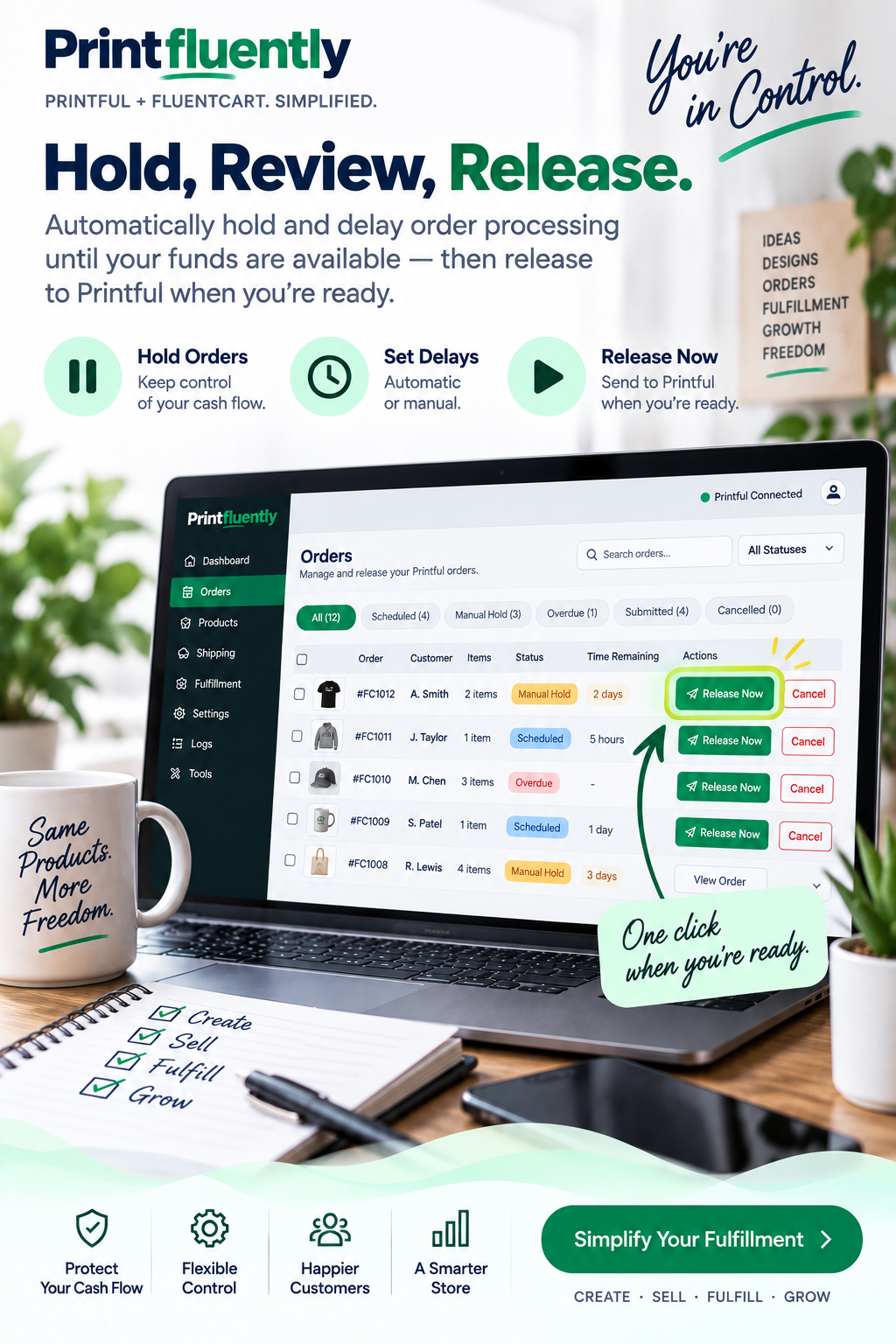
RELEASE NOW
Funds ready early? Don`t wait for the timer.
If the merchant is ready before the selected delay expires, an authorized user can use Release Now to submit the order immediately.
Ends the remaining hold
Submits through the normal connector workflow
Preserves the order relationship
Records the manual action for accountability
WHEN SOMETHING FAILS
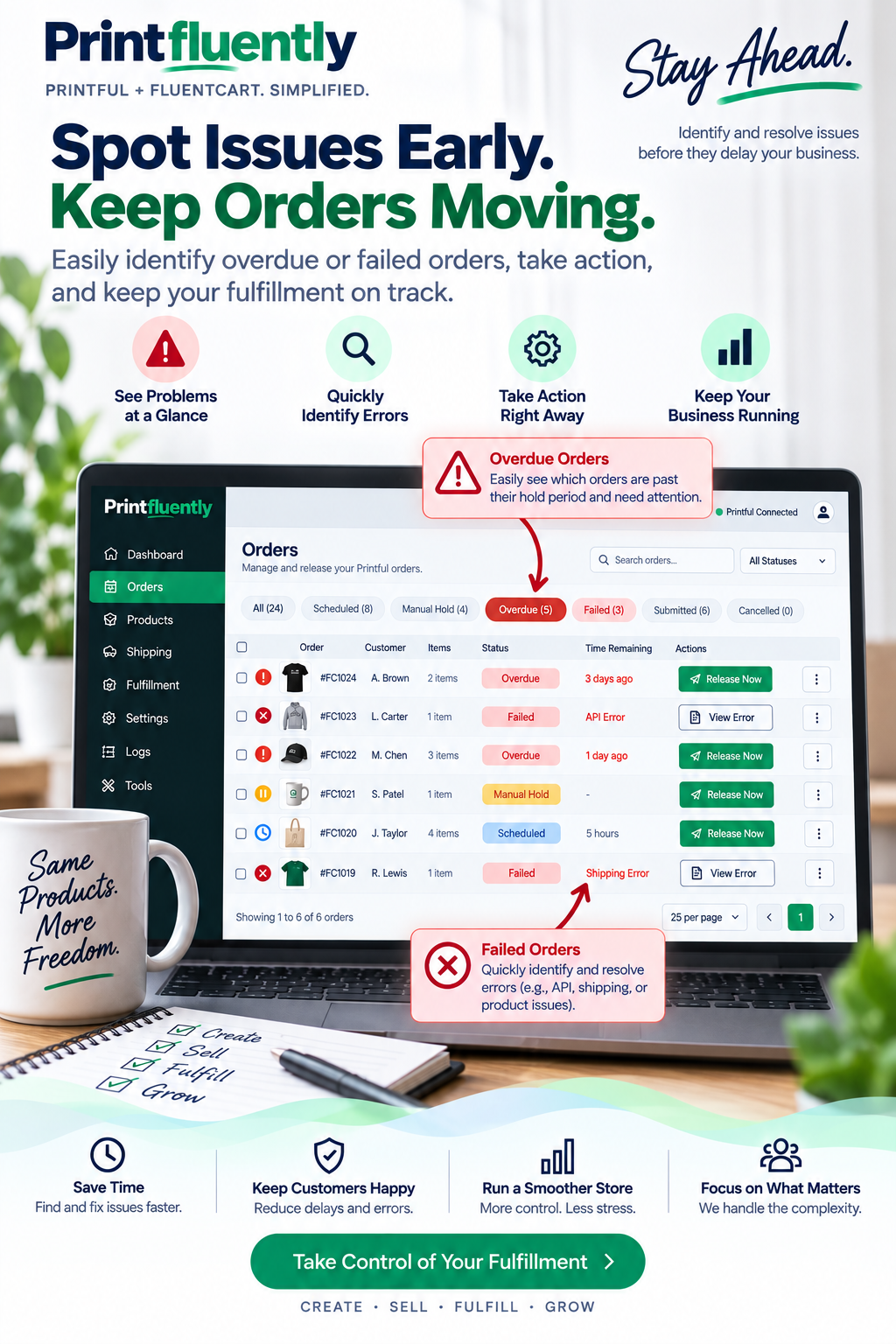
A failed submission shouldn`t disappear.
If a timed release reaches its scheduled time put Printful cannot accept the order, the fulfillment can remain visible as overdue instead of being silently marked complete.
The merchant can investigate the underlying issue and try Release Now. If a manual release attempt fails, the connector can expose Retry Submission after the issue is corrected.
Submitted means submitted. The workflow should only move to a successfully submitted state after Printful confirms the order.
MANUAL HOLD SAFETY
Longer holds need customer awareness.
Manual Hold is useful when the merchant needs more than 72 hours, but it also requires more active order management.
No automatic release
The order stays held unil an authorized user chooses Release Now
Customer communication
If a hold extends beyond your normal processing time, keep the customer informed rather than leaving the order unexplained.
Merchants responsiblity
Use Manual Hold intentionally and monitor it as part of your normal fulfillment workflow.
Recommended customer message: "Your order is taking a little longer than our usual processing time. We`re working to have it moved into fulfillment as soon as possible. We`ll send another update with your shipping information once your order has shipped."
USE IT AS A BRIDGE
Hold / Delay is designed to become less important as your store grows.
The long-term goal should be to build enough fulfillment reserve that paid orders can move straight to Printful without waiting.
1
Start carefully
Use Timed Hold or Manual Hold while cash flow is tight.
2
Build a reserve
Set aside enough working capital to cover incoming fulfillment charges.
3
Move toward Immediate
Shorten the delay as the store becomes better funded, then remove it when no longer needed.
COMMON QUESTIONS
Hold / Delay FAQ
Does Hold / Delay mean the customer hasn`t paid?
No. Hold / Delay is intended for an eligible paid FluentCart order. It changes when the fulfillment order is sent to Printful, not whether the customer paid your store.
Does a 72 hour delay guarantee my funds will be available?
No. Payment availability varies by processor, bank, account, payment method, weekends, holidays, and other factors.
Can I release an order before the timer ends?
Yes. Use Release Now whenever you`re ready to submit the fulfillment order to Printful.
What if I need more than 72 hours?
Use Manual Hold. It has no automatic release, so the merchant remains responsible for monitoring and releasing the order.
Does holding an order delay Printful production?
Yes. Printful cannot begin fulfillment until the order has actually been submitted to and accepted by Printful.
Can an employee release held orders?
Yes. An authorized Processor can use the frontend Order Manager without receiving broad WordPress administration access.
CONTROL THE TIMING
Start with breathing room. More toward Immediate as your store grows.
Immediate • Timed Hold up to 72 hours • Manual Hold • Release Now
Trademark & affiliation notice: Printfluently is an independent software brand and is not affiliated with, sponsored by, endorsed by, or operated by Printful, FluentCart, WPManageNinja, Printify, Gelato, or any other third-party platform referenced on this website. Printful, FluentCart, WPManageNinja, Printify, Gelato, and other third-party names and remarks are the property of their respective owners. Any use of third-party product names is solely to identify compatibility, integration, or intended use of the Printfluently software.
Financial / fulfillment notice: Hold / Delay and Manual Hold features are order-timing tools only. They do not provide financing, guarantee payment settlement, guarantee merchant funds will be available within any particular period, or alter the merchant`s obligations to customers, payment providers or fulfillment providers. Holding an order delays when the fulfillment provider can begin processing it.
Print Fluently with your favorite print-on-demand companies through FluentCart.
2026 © Printfluently
Independent integration software.