
PRINT ON DEMAND FOR FLUENTCART
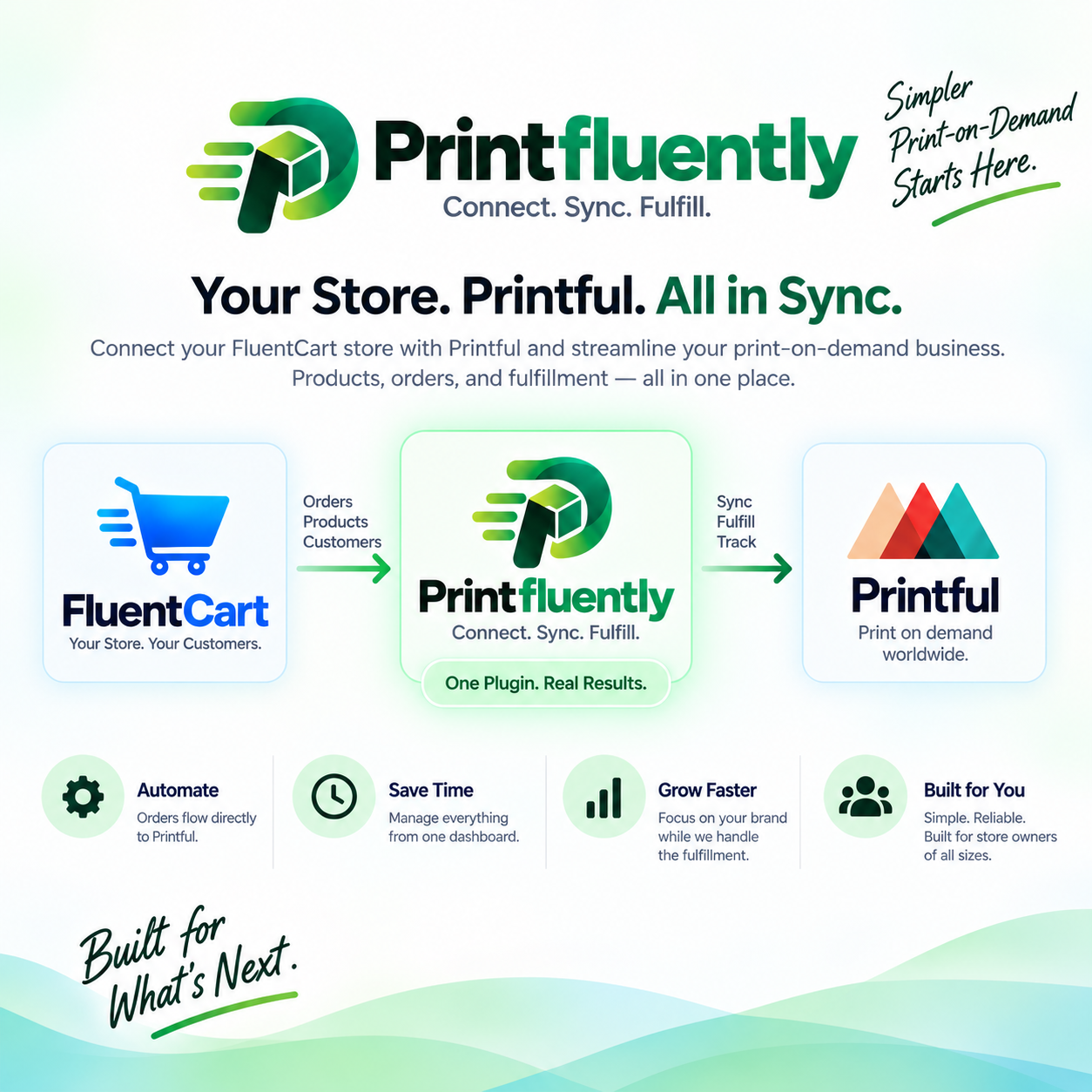
Connect FluentCart to Printful.
Without rebuilding your store.
Import products, calculate shipping, send paid orders to Printful, track fulfillment, and give your team practical control over delayed orders. While FluentCart stays your storefront, checkout, payment system, and permanent order record.
From checkout to fulfillment
1
Customer buys in FluentCart
Your storefront and checkout remain native.
2
Choose immediate, Delay, or Manual Hold
Control exactly when Printful receives the order.
3
Printful fulfills the order
The plugin stores the Printful connection and fulfillment status.
4
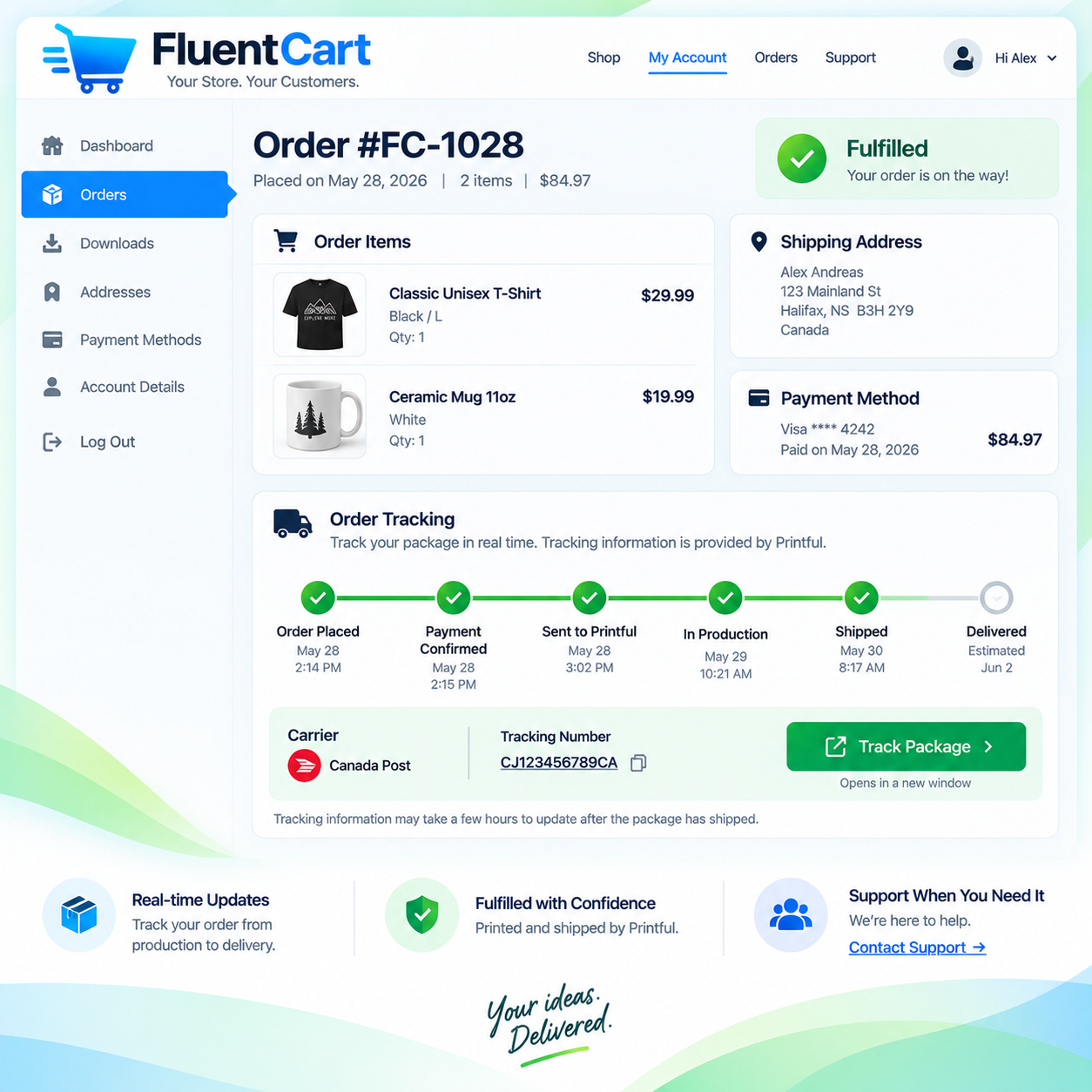
Tracking returns to the customer
Tracking appears inside the FluentCart customer experience.
One site license • Direct connection to your own Printful account • No central Printfuently order server
Native FluentCart Checkout
Direct Printful Connection
Customer Tracking
Merchant Fulfillment Controls
Built for merchants who want FluentCart and print-on-demand to work together.
You should not have to replace your cart, bolt on a second checkout, or manually recreate every paid order in a fulfillment dashboard. Printfluently keeps FluentCart in charge of commerce and adds the fulfillment bridge Printful needs.
Keep FluentCart native
Products, cart, checkout, customer accounts, payments, and permanent orders stay inside FluentCart.
Send paid orders to Printful
Automatic submission, delayed release, duplicate protection, retry handling, and Printful order linkage are handled by the connector.
Bring fulfillment data back
Printful status and tracking are linked back to the originating FluentCart order for merchant and customer visibility.
Core features
More than a basic order-forwarding connector.
Designed around the operational problems a real print-on-demand store has after the first sale arrives.
Printful product import
Bring Printful designed products and variants into FluentCart and maintain the fulfillment mapping.
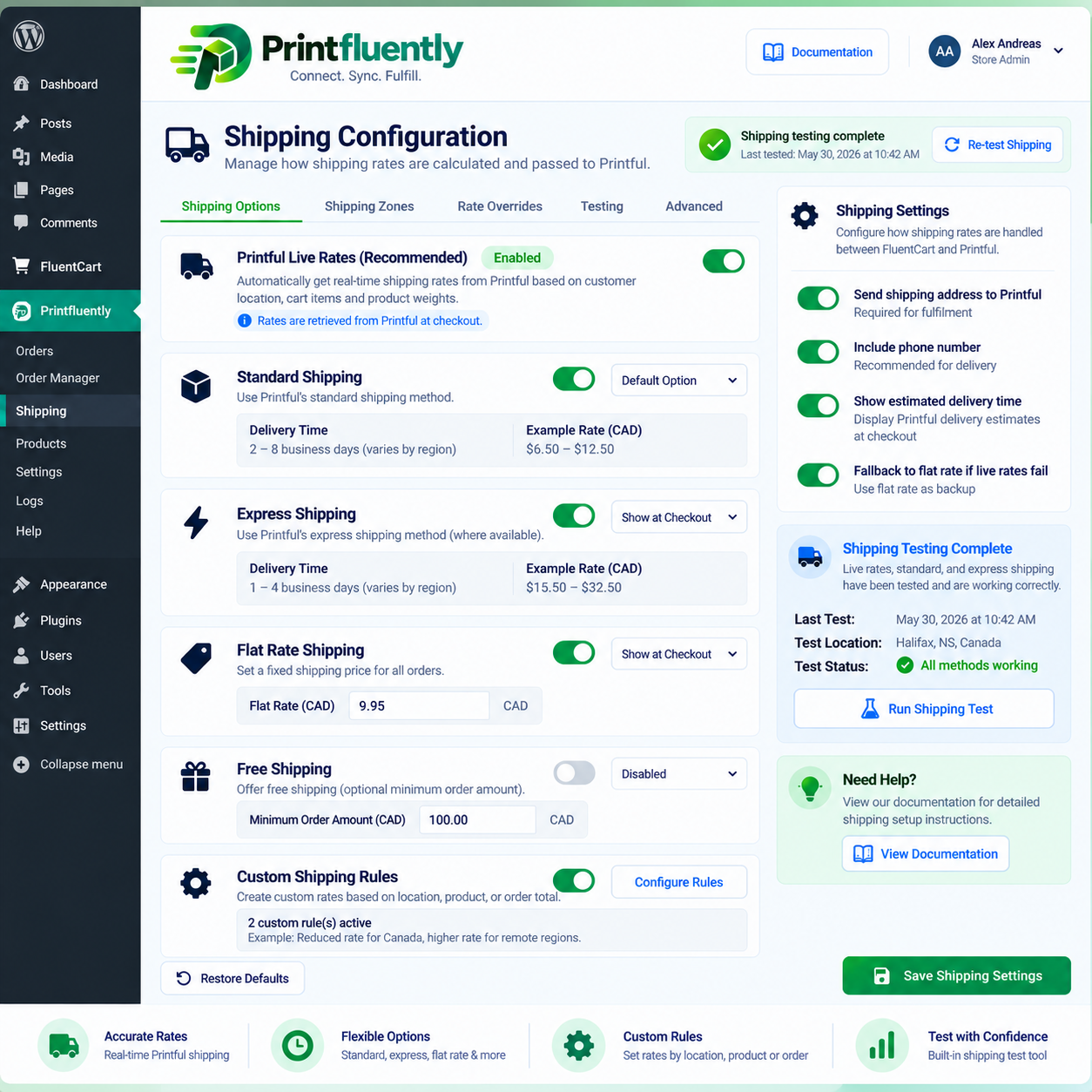
Multiple shipping modes
Support for live rates, Standard dynamic shipping, official flat-rate data, free-shipping rules, custom merchant rates, and shipping-disabled workflows.
Automatic fulfillment
Eligible paid orders can be submitted to Printful without manual re-entry.
Hold / Delay controls
Give new stores breathing room before Printful attempts the fulfillment charge.
Release Now & Retry
Release held orders early, recover failed submissions, and keep unresolved orders visible until action is taken.
Customer tracking
Tracking details can flow back into the FluentCart customer account and order history.
Processor role
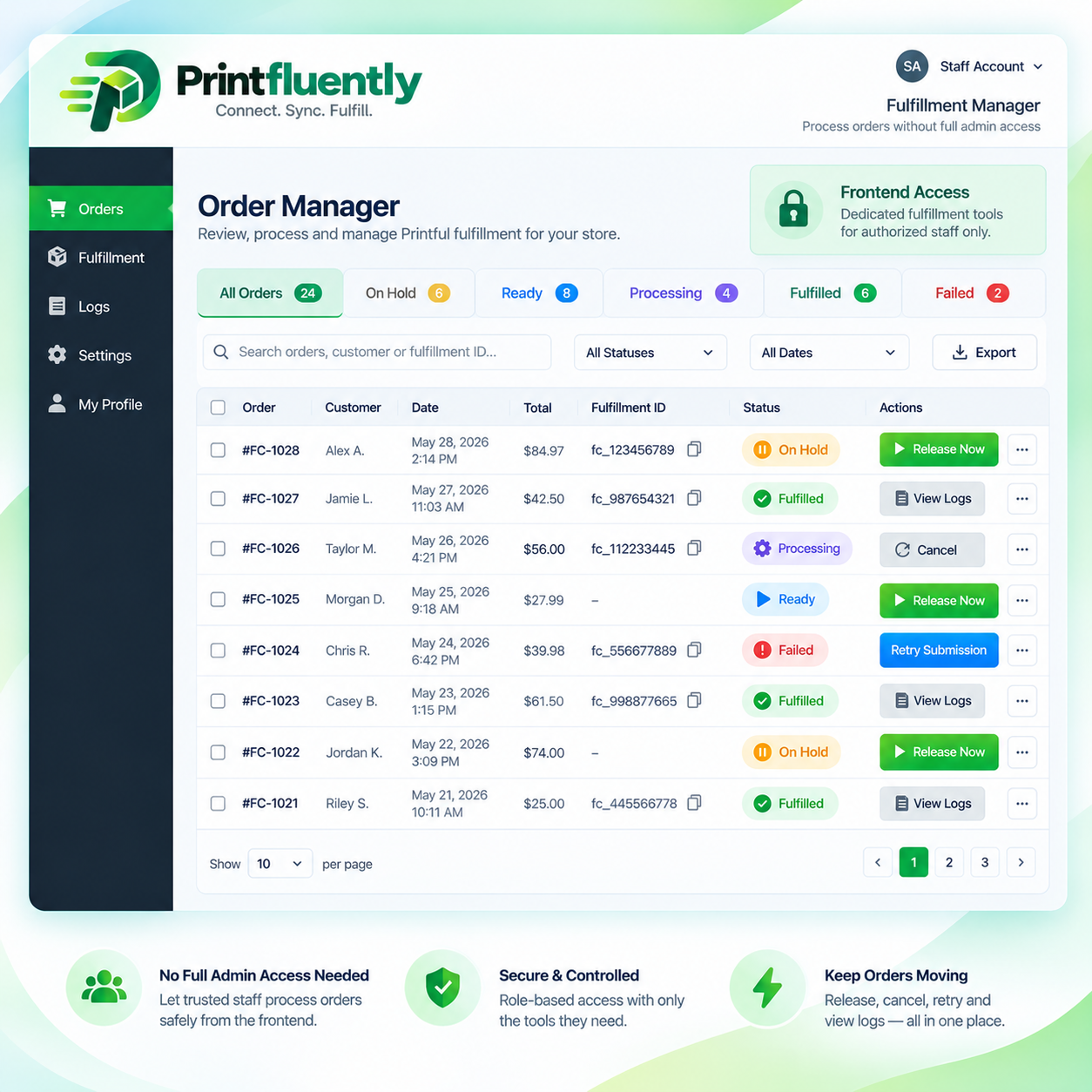
Give a staff member access to fulfillment actions without giving them full WordPress or FluentCart administration access.
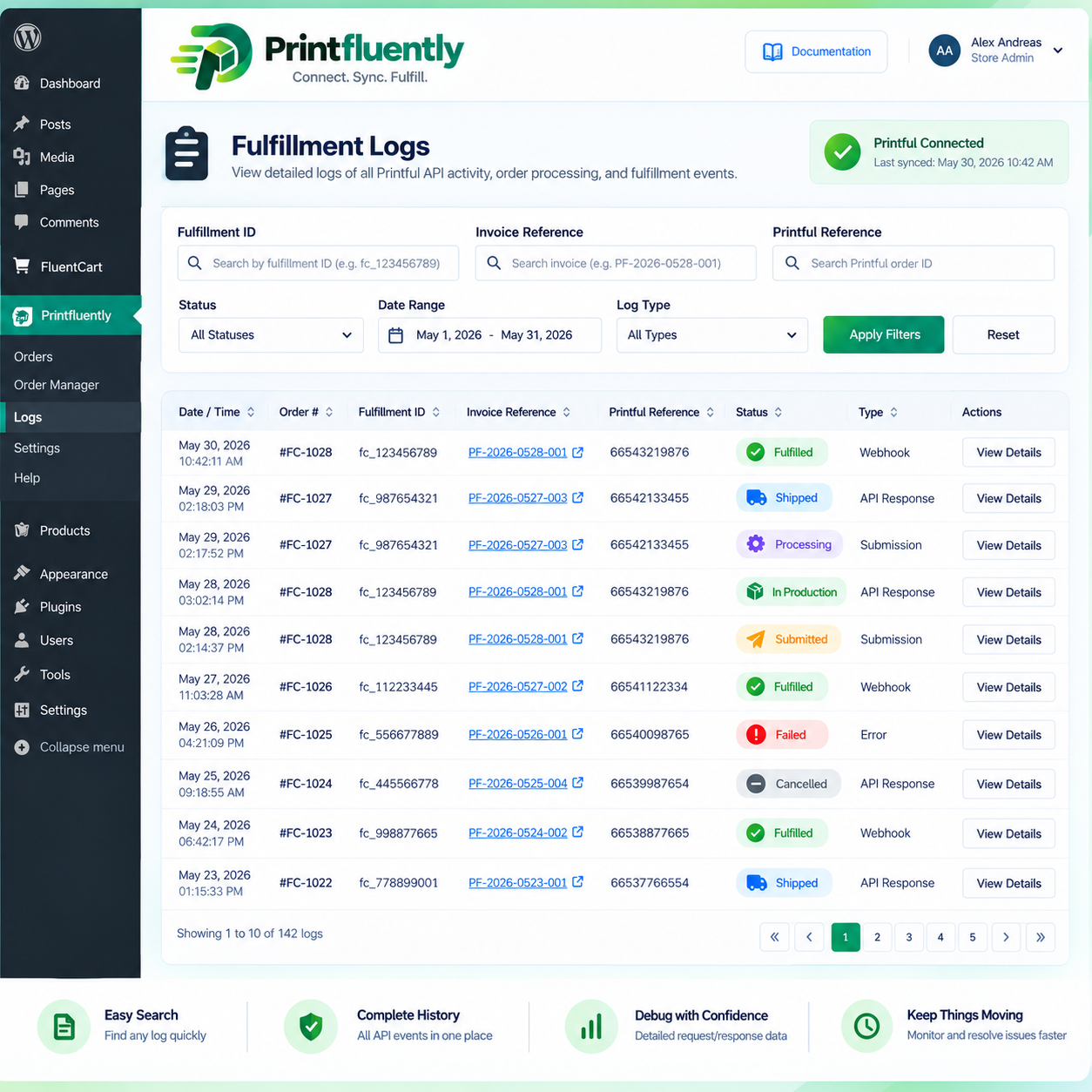
Searchable technical logs
Trace fulfillment problems using Fulfillment IDs, invoice references, Printful references, server-side search, and time based retention.
Duplicate prodection
Per-order locking and remote-order checks help prevent accidental duplicate Printful submissions.
A CASH-FLOW FEATURE BUILT FOR NEW STORES
Sell first. Control when fulfillment is charged.
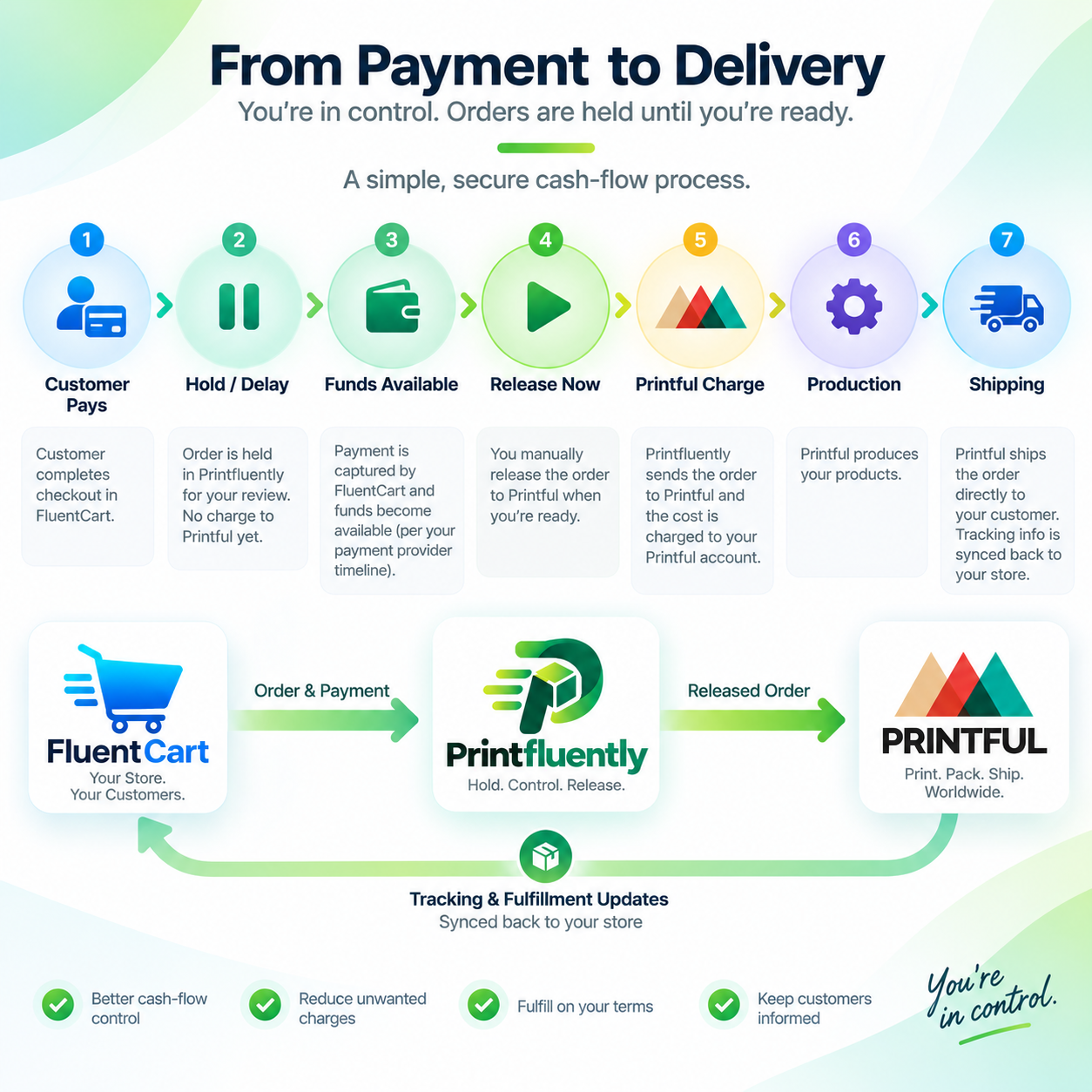
Printful generally charges the merchant when an order is confirmed for fulfillment, before production begins. Hold / Delay lets a merchant control when the connector sends that paid order to Printful.
Important: Hold / Delay is a timing tool, not financing. Payment availability varies by payment provider, bank, account, weekends, holidays and payment method. Merchants remain responsible for maintaining enough funds to cover Printful fulfillment.
Example
1
Customer pays your t
Your FluentCart order is paid.
2
Connector holds the order
Use a timed delay up to 72 hours, or Manual Hold with no automatic release.
3
Your funds become available
Transfer funds, prepare the connected payment method, or wait for your payment provider`s normal settlement timing.
4
Release Now
As soon as you`re ready, send the order to Printful instead of waiting for the timer.
5
Printful begins fulfillment
Production and shipping timing begin only after Printful receives and accepts the order.
Immediate
Best for established stores with enough available fulfillment funds. Paid orders are submitted without an intentional delay.
Timed Hold / Delay
Delay submission for a selected period up to 72 hours. Release early at any time when your funds are ready.
Manual Hold
No automatic release. The order remains held until an authorized user selects Release Now. Useful when more than 72 hours may be needed.
Customer experience matters: every hold occurs before Printful can begin production. Merchants should use a delay consistent with there advertised processing time and keep customers informed when an order will take longer than expected.
BUILT-IN SALES & PROMOTIONS
From a single product sale to your next big promotion.
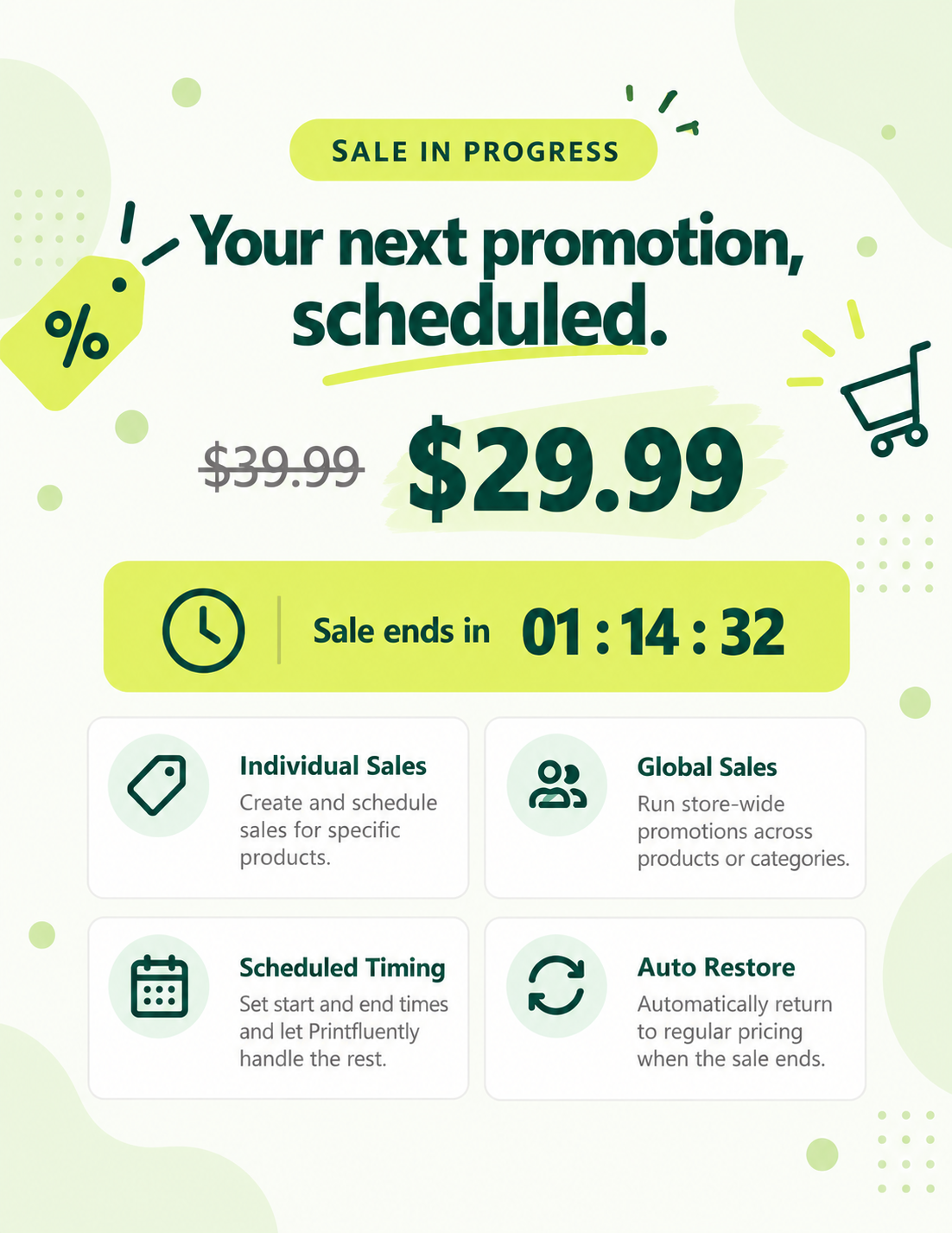
Printfluently gives FluentCart merchants another way to mange the storefront side of print-on-demand. Create an individual product sale or coordinate a larger campaign across multiple products, with scheduled timing and automatic price restoration built in.
Individual Scheduled Sales
Global Sale Campaigns
Category & Product Targeting
Product Exclusions
Customer Countdown Display
Automatic Price Restoration
FULFILLMENT OPERATIONS
Manage orders without handing out the keys to WordPress.
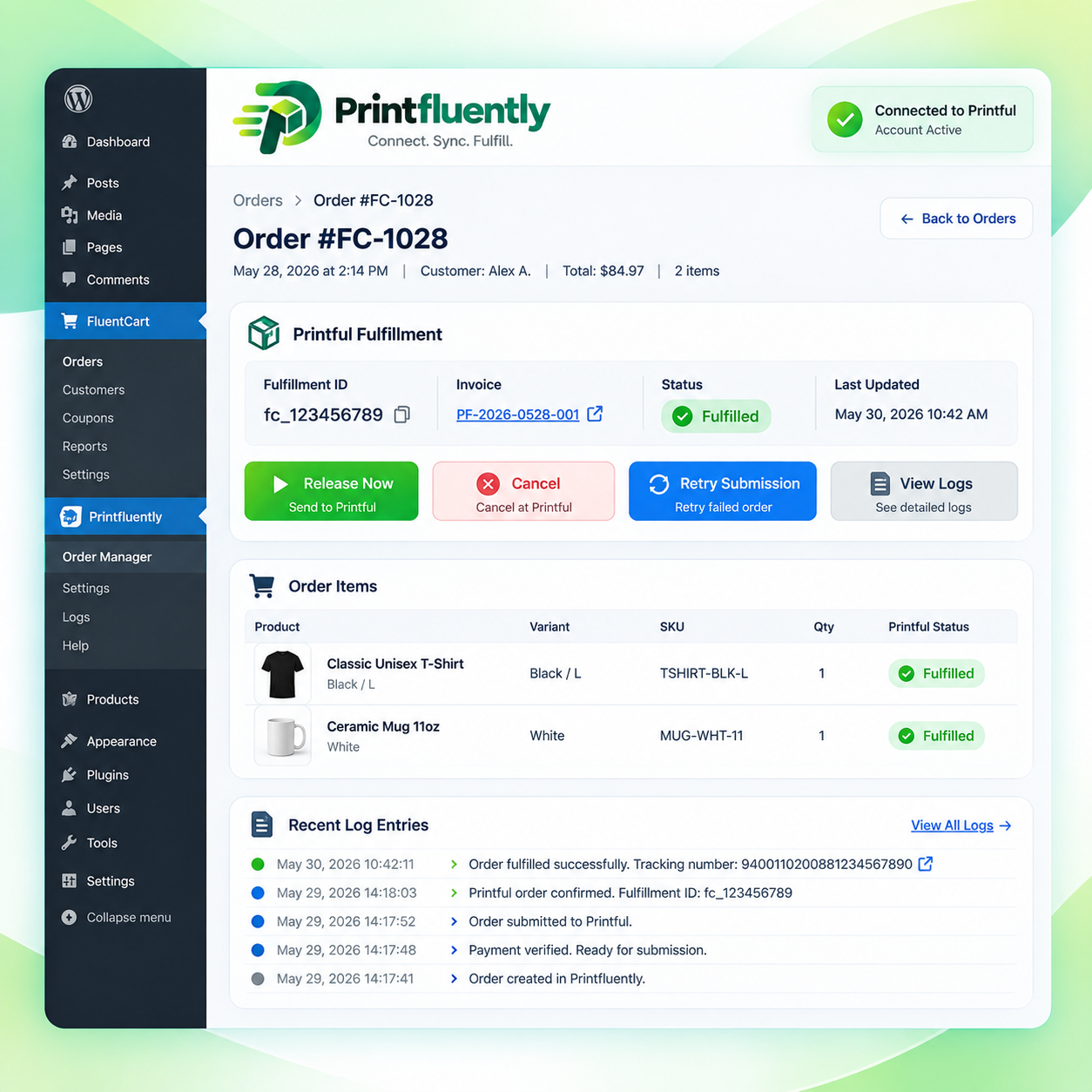
Create a Processor user for staff who only need to work with fulfillment orders. The frontend Order Manager can expose active orders and permitted actions without giving that user broad administrative control.
Release Now
Cancel before Printful
Retry Submission
Search & filters
Fulfillment ID
Audit attribution
"The person processing fulfillment should not need access to your plugins, products, users, payments, or WordPress settings."
HOW IT WORKS
Your account. Your credentials. Your store.
Printfluently does not require merchants to send their Printful credentials through a central Printfluently authentication server. The connector is designed for a direct relationship between the licensed WordPress site and the merchant`s own Printful account.
1. Install
Install the plugin on the licensed WordPress site running FluentCart.
2. Connect Printful
Use your own Printful application credential to connect your site directly to your Printful account.
3. Import & Configure
Import products, select shipping behavior, and choose Immediate, Timed Delay, or Manual Hold fulfillment.
4. Sell
Customers shop and pay through the native FluentCart experience.
5. Fulfill
The connector creates or releases Printful fulfillment orders according to your settings.
Track
Printful updates can flow back to the originating FluentCart order and customer account.
BUILT TO BE SUPPORTABLE
When something goes wrong, find the order fast.
Each operational fulfillment can carry its own Fulfillment ID, with order-linked diagnostics, searchable logs, retention controls, and separate staff-action audit history.
Fulfillment IDs
Use references such as FCPF-1047 to trace the connector workflow separately from the FluentCart invoice.
Time-based Logging
Retain technical diagnostic history for 7, 14, 21, or 28 days without a fixed 200-entry cap.
Staff audit trail
Manual Release, Cancel, and Retry actions can be attributed to the authorized user who performed them.
VISUAL PLAN
Photos, screenshots & graphics to create later
These placeholders show exactly what visual belong in each part of the sales page so we can generate or capture them later.


1-site annual license
Printful for FluentCart
Independent connector software from Printfluently
Release Now
Cancel before Printful
Retry Submission
Search & filters
Fulfillment ID
Audit attribution
FAQ`s
Questions buyers are likely to ask.
Is Printfluently affiliated with Printful or FluentCart?
No. Printfluently is independent software. Printful and FluentCart are third-party products and trademarks of their respective owners. References to those products describe compatibility and integration only.
Does the plugin replace FluentCart Checkout?
No. FluentCart remains responsible for storefront, cart, checkout, payments, customer accounts, and the permanent order record.
Why would I use Hold / Delay?
It is primarily a cash-flow timing tool for new or growing stores. It can provide time between receiving a paid customer order and allowing Printful to attempt the fulfillment charge.
Does a 72-hour delay guarantee my customer funds will be available?
No. Availability depends on your payment provider, bank, account history, payment method, weekends, holidays, and other factors. The merchant remains responsible for ensuring the Printful payment method can cover the order.
Can I release a delayed order before the timer expires?
Yes. Authorized users can use Release Now when they are ready for Printful to receive the order.
What is Manual Hold?
Manual Hold has no automatic release time. The order stays held until an authorized user releases it. Because Printful cannot begin fulfillment while the order remains held, merchants should monitor these orders and communicate longer processing times to customers where appropriate.
What happens if Printful submission fails?
The connector keeps failed or unresolved fulfillment visible for merchant action. Depending on the workflow, the merchant can use Release Now or Retry Submission after resolving the underlying issue.
Can an employee process orders without full admin access?
Yes. The plugin includes a limited Processor role intended for fulfillment work without granting broad WordPress or FluentCart administration permissions.
Does the plugin support tracking?
Yes. Printful tracking information can be stored against the originating FluentCart order and displayed to the customer through supported tracking/order views.
How many products or order can I use?
The plugin does not impose a simple fixed product or order-count ceiling. Practical capacity depends on your hosting, WordPress/FluentCart installation, Printful API limits, and traffic. Hold/Delay is designed as a temporary fulfillment-timing tool rather than a substitute for maintaining adequate fulfillment funding.
Do I need FluentSMTP or FluentCRM?
Neither is required for the core connector. If email notifications are enabled, a reliable SMTP service/plugin is recommended for delivery. FluentCRM is not required.
Does Printfluently store my Printful login on a central server?
The planned architecture connects the licensed WordPress site directly to the merchant`s own Printful account using the merchant`s own application credentials rather than routing authentication through a central Printfluently server.
Does the plugin include shortcodes?
Yes. Printful for FluentCart includes shortcodes that let you place selected plugin features on your own WordPress pages. This gives you flexibility to use the plugin with page builders such as Elementor, Optimizepress, Gutenberg, and others.
For example, shortcodes can be used to display customer order tracking, the authorized staff Order Manager, or a read-only fulfillment status view. Simply place the appropriate shortcode where you want that feature to appear.
Trademark & affiliation notice: Printfluently is an independent software brand and is not affiliated with, sponsored by, endorsed by, or operated by Printful, FluentCart, WPManageNinja, Printify, Gelato, or any other third-party platform referenced on this website. Printful, FluentCart, WPManageNinja, Printify, Gelato, and other third-party names and remarks are the property of their respective owners. Any use of third-party product names is solely to identify compatibility, integration, or intended use of the Printfluently software.
Financial / fulfillment notice: Hold / Delay and Manual Hold features are order-timing tools only. They do not provide financing, guarantee payment settlement, guarantee merchant funds will be available within any particular period, or alter the merchant`s obligations to customers, payment providers or fulfillment providers. Holding an order delays when the fulfillment provider can begin processing it.
Print Fluently with your favorite print-on-demand companies through FluentCart.
2026 © Printfluently
Independent integration software.